Guides › Skin editor
Minecraft skin template explained (64x64 layout)
What every part of the flat 64x64 Minecraft skin template is — head, hat, body, arms, legs and their outer layers — and how to start from a blank template.
4 min read · 3 steps · Intermediate
Step 1: The flat skin is a map of the 3D body
A Minecraft skin is a 64×64 PNG. Minecraft cuts it into boxes and folds them around the head, body, arms and legs. Switch the editor to 2D Edit to see it, and turn on part names in the top bar to label every box.
Each body part has 6 faces — top, bottom, front, back, right and left — laid out next to each other.
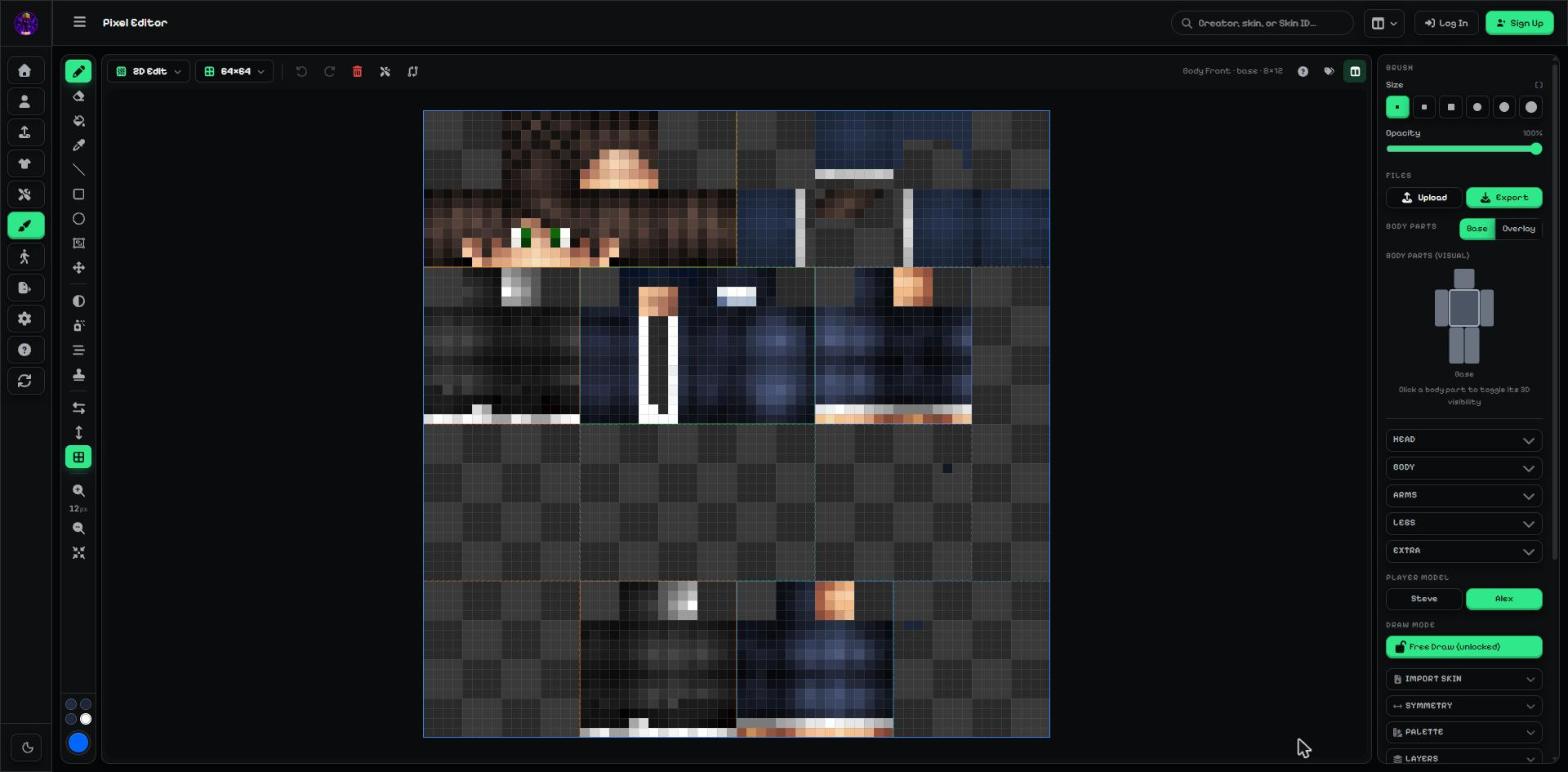
- Head (top-left quarter of the top band).
- Hat — the head's outer layer, right next to it.
- Right leg, body, right arm (second band).
- Their outer layers: pants, jacket and sleeve (third band).
- Left leg and left arm, each with its outer layer beside it (bottom band).
Step 2: Steve and Alex arms
Steve (Classic) arms are 4 pixels wide; Alex (Slim) arms are 3 pixels wide, so an Alex arm box is a little narrower and the last column of it is unused.
Skin check in the side panel warns you about pixels painted in unused parts of the template — they never show in the game.
Step 3: Start from a blank template
Open Templates & stamps and pick Blank body, Starter Steve or Starter Alex. Add clothing in your colour and face stamps, then paint the rest.
HD templates work the same way at 128×128 or 256×256 — every box is just 2× or 4× bigger.
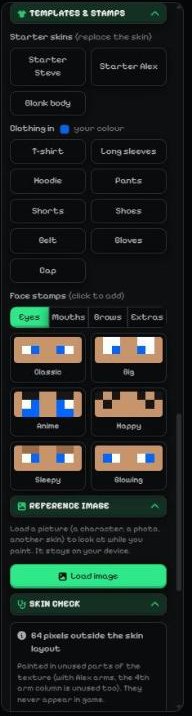
- Starter skins: Starter Steve, Starter Alex, Blank body.
- Clothing in your colour.
More guides
- Minecraft skin editor tools explained (with shortcut keys)
- The top bar: 2D / 3D view, HD size, undo and model
- Minecraft skin layers: base, overlay (hat & jacket) and body parts
- Colours, brush size, opacity and palettes
- Image to colour palette: get the colours of any picture
- Side panels: symmetry, drafts, history, templates, cape and more
- Make the editor yours: toolbar, tips, panels and layout
- How to make an HD Minecraft skin (128x128 or 256x256)
- How to get a Minecraft skin from a username
Not an official Minecraft product. Not approved by or associated with Mojang or Microsoft.